AI Workflow Automation: The Complete Guide for 2026
How to build intelligent, self-learning business processes that save 20+ hours per week and scale without adding headcount.
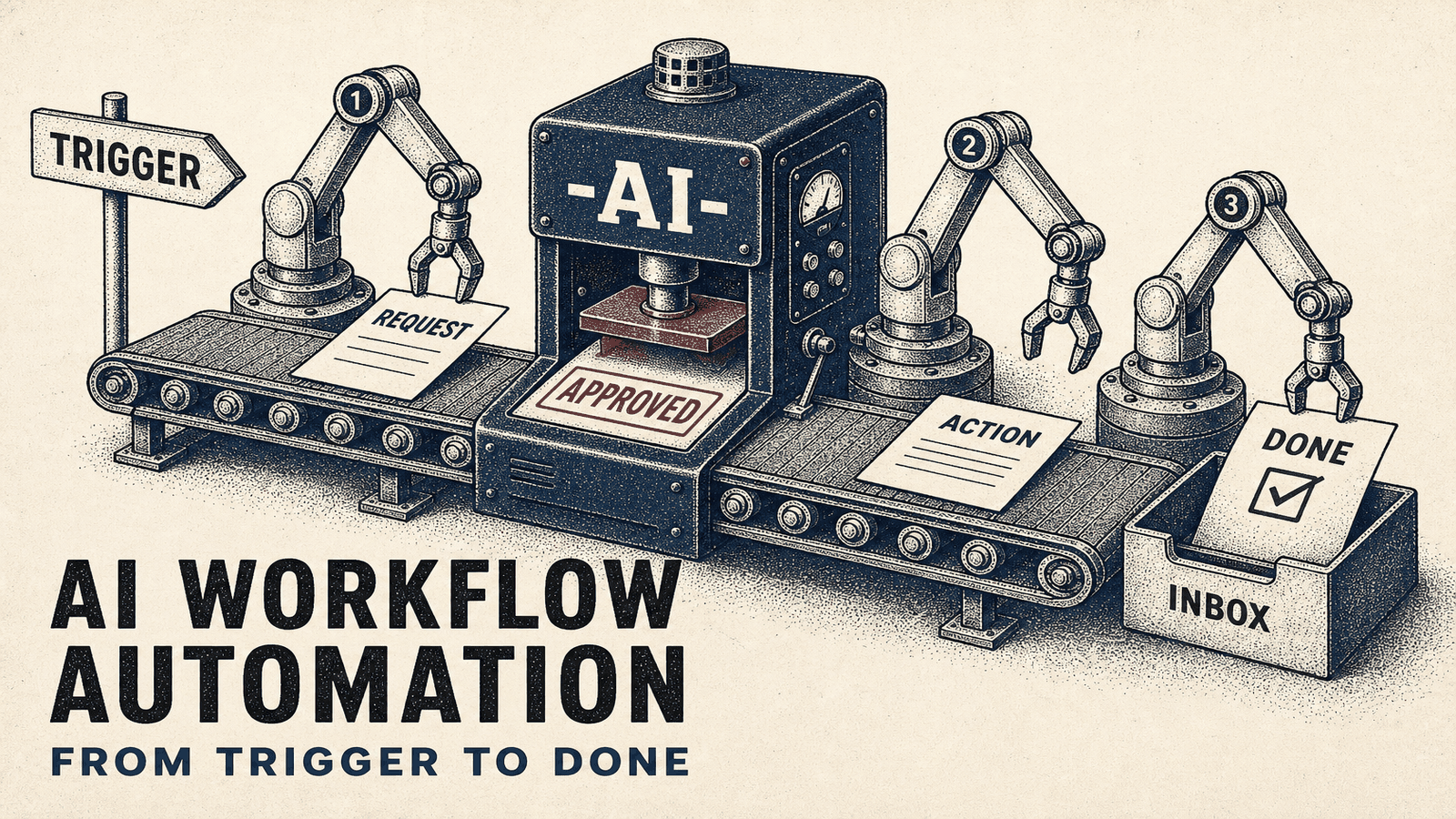
What Is AI Workflow Automation?
AI workflow automation takes traditional workflow automation and adds a brain.
Traditional automation moves data from Point A to Point B. When a form is submitted, create a CRM record. When an email arrives, save the attachment. Simple triggers, simple actions.
AI workflow automation makes decisions along the way. When a lead form comes in, the AI reads it, assesses quality based on 15 criteria you care about, scores the lead, writes a personalized response matching their specific needs, and routes it to the right sales rep based on territory, expertise, and current workload.
The difference? Traditional automation follows rigid if-this-then-that rules. AI automation understands context, interprets nuance, and adapts based on what works. Recent studies show AI automation delivers up to 77% time savings on repetitive tasks while reducing errors by 40-75% (ServiceNow, Kissflow 2024).
We've implemented AI workflow automation for 50+ clients since early 2024. The businesses seeing the biggest wins aren't replacing humans wholesale—they're removing the tedious parts so their teams focus on what actually requires human judgment.
Why AI Workflow Automation Matters Now
Three things converged in 2024-2025 that make AI automation practical for businesses of all sizes:
AI costs dropped 90%. In early 2023, processing 1,000 customer emails with GPT-4 cost $30-60. By 2026, Claude Sonnet and GPT-4o process the same workload for $1.50-3.00. That's the difference between a luxury and a line item. This price drop, combined with $3.70 ROI per dollar invested in AI, makes automation accessible to businesses of all sizes (Fullview, 2025).
No-code platforms integrated AI natively. Make.com, Zapier, and n8n now include OpenAI, Anthropic, and Google AI as drag-and-drop modules. You don't need a developer to build sophisticated AI workflows anymore.
AI accuracy crossed the reliability threshold. GPT-3.5 made mistakes often enough that you couldn't trust it with business-critical tasks. GPT-4, Claude 3.5 Sonnet, and Gemini 1.5 Pro hit 95-98% accuracy on structured business tasks. That's good enough to deploy. With 78% of enterprises now adopting AI and 70% of organizations planning to implement structured automation by 2025, the technology has proven itself (Gartner, Fullview 2024-2025).
The result: Companies with $500K-5M in revenue can now implement AI workflow automation at price points ($5K-25K) that actually make sense for their scale.
Best Use Cases for AI Workflow Automation
After implementing dozens of AI automations, we've learned which processes deliver ROI fastest:
Lead Qualification and Routing
AI reads incoming leads, scores them against your ideal customer profile, and routes qualified prospects to the right sales rep with a briefing memo.
One client processed 300-400 leads monthly. Their sales team spent 12 hours weekly reading forms, Googling companies, and deciding who to contact first. AI automation now handles initial qualification in seconds. Sales reps get a daily briefing with top 10 leads, context, and a suggested approach.
Time saved: 10 hours weekly. Cost: $6,500 setup + $80/month AI API costs.
Customer Support Triage
AI reads support tickets, categorizes them by urgency and type, drafts initial responses, and escalates complex issues to humans with context.
A B2B SaaS company with 200-300 monthly support requests implemented AI triage. Simple requests (password resets, documentation links, billing questions) get instant AI-generated responses. Technical bugs and complex issues go straight to engineering with AI-extracted error details.
Result: 68% of tickets resolved without human involvement. Average response time dropped from 4.2 hours to 8 minutes. This aligns with industry data showing AI automation handles 65% of repetitive administrative tasks across businesses (Growstack, 2025).
Content Generation and Repurposing
AI extracts key points from long-form content and generates social posts, email newsletters, and video scripts while maintaining brand voice.
We built an automation that takes a client's weekly podcast, transcribes it, pulls out 5-7 actionable insights, and generates 15 social media posts across LinkedIn, Twitter, and Instagram with platform-specific formatting.
What previously took a content manager 6 hours now runs automatically every Monday morning.
Data Extraction and Classification
AI reads invoices, contracts, resumes, or customer feedback and extracts structured data into your systems.
An accounting firm processes 40-60 client invoices daily from various vendors—all with different formats. Their bookkeepers spent 90 minutes daily copying data into QuickBooks. AI automation now extracts vendor, amount, date, and line items from any invoice format and creates draft entries for review.
Time saved: 75 minutes daily. Error rate dropped from 8% to less than 1%. This type of error reduction is consistent with research showing automation improves accuracy by 40-75% across business processes (Kissflow, 2024).
How to Build AI Workflow Automation
The process we use with clients follows five stages:
1. Map Your Current Process
Don't start with AI. Start with understanding what humans actually do. We spend 1-2 hours with the team currently handling the process, documenting every step, decision point, and exception.
The mistakes happen when you automate a process you don't fully understand. You end up with an automated mess instead of a manual mess.
2. Identify Decision Points
Look for places where someone makes a judgment call. "Is this lead qualified?" "What priority is this support ticket?" "Does this invoice match the purchase order?"
These decision points are where AI adds value. Traditional automation handles the data movement. AI handles the thinking.
3. Build the Workflow Structure
Use Make.com, Zapier, or n8n to build the automation backbone. Connect your trigger (form submission, email arrival, scheduled time) to your systems (CRM, support desk, accounting software). Not sure which platform to pick? Read our Make.com vs Zapier vs n8n comparison.
Test the data flow without AI first. Make sure information moves correctly between systems before adding intelligence.
4. Add AI Decision-Making
Insert AI modules at decision points. Feed the AI relevant context (the lead form data, the support ticket content, the invoice details) and a clear prompt explaining what judgment to make.
Example prompt for lead qualification: "Analyze this lead form submission. Score the lead 1-10 based on these criteria: company size, industry match, budget signals, urgency indicators. Provide the score, reasoning, and suggest next steps."
5. Test, Refine, Deploy
Run 20-30 real examples through your AI workflow alongside your manual process. Compare outputs. Where does AI make mistakes? Refine your prompts. Add examples. Adjust logic.
Once AI accuracy hits 90-95%, deploy with a human review step for the first 2-4 weeks. Monitor edge cases. Most workflows need 2-3 refinement cycles before running fully autonomous.
AI Workflow Automation Cost Breakdown
Pricing has two components: setup and ongoing usage.
Setup Costs
- Simple automation (1-2 workflows): $3,000-6,000
- Standard implementation (3-5 workflows): $8,000-15,000
- Complex multi-system integration: $15,000-35,000
- Enterprise AI automation platform: $35,000-75,000
Monthly Operating Costs
- Automation platform (Make.com/Zapier): $30-300/month
- AI API costs (OpenAI/Anthropic): $50-500/month
- Maintenance and optimization: $200-1,000/month
Most businesses land at $150-400/month in total operating costs after setup. For context, that's less than hiring an intern for 10 hours weekly.
Measuring AI Workflow Automation ROI
Track three metrics:
Time saved: Hours your team previously spent on the automated process. Multiply by their hourly fully-loaded cost.
Quality improvement: Error rate reduction, faster response times, increased consistency. Harder to quantify but often more valuable than time savings.
Capacity unlocked: Revenue-generating activities your team can now pursue because they're not buried in operations.
Example ROI calculation: A sales team spending 15 hours weekly on lead qualification at $75/hour fully-loaded cost equals $58,500 annually. A $12,000 AI automation saving 80% of that time returns $46,800 yearly—a 290% first-year ROI.
Across our client base, average payback period is 2.8 months. Best case: 3 weeks. Worst case: 7 months.
Common AI Workflow Automation Mistakes
We've seen these errors repeatedly:
Automating broken processes. AI doesn't fix bad workflows—it makes them fail faster at scale. Fix the process first, then automate.
Expecting 100% accuracy. AI makes mistakes. Build review steps for critical decisions. Trust but verify.
Over-engineering from day one. Start with one workflow. Learn what works. Then expand. The clients who try to automate everything simultaneously get overwhelmed and quit.
Skipping change management. Your team needs to understand what the AI is doing and why. Otherwise they'll bypass it or sabotage it. Involve them early.
Choosing the wrong AI model. GPT-4 isn't always better than GPT-3.5. Claude excels at analysis. Gemini handles large documents well. Match the model to the task.
Getting Started with AI Workflow Automation
Pick one process that's both painful and repetitive. Not the most complex. Not the most critical. Something that consumes 5-10 hours weekly and frustrates your team.
Document the current process in detail. What triggers it? What decisions get made? Where does information come from? Where does it go?
Build a simple version with AI handling one decision point. Test it with real data. Refine it. Once it works reliably, expand.
The companies that succeed with AI workflow automation don't start with a grand vision—they start with a specific pain point, prove the value, then scale. Need help? See how to hire an automation agency that specializes in AI. Use our free automation ROI calculator to estimate your potential time savings, or see how much automation costs for detailed pricing.
Frequently Asked Questions
What is AI workflow automation?
AI workflow automation combines traditional workflow automation with artificial intelligence to create self-learning, decision-making business processes. Instead of just moving data between systems, AI automation understands context, makes judgments, and adapts based on outcomes. Think of it as automation that can actually think.
How much time can AI workflow automation save?
Companies implementing AI workflow automation save an average of 15-25 hours per week per employee across common business processes. Lead qualification automations alone typically save 8-12 hours weekly, while AI-powered customer support can handle 60-80% of incoming requests. The exact savings depend on your specific processes and implementation quality.
What business processes work best with AI automation?
Lead qualification and routing, customer support triage, content generation, data extraction and classification, meeting summaries and follow-ups, and document processing all deliver strong ROI with AI workflow automation. Any process requiring judgment or interpretation benefits from AI. Purely mechanical data transfer often works fine with traditional automation.
How much does AI workflow automation cost?
Basic AI workflow automation projects start at $3,000-6,000 for 1-2 workflows. Mid-complexity implementations with multiple AI integrations cost $8,000-20,000. Enterprise AI automation systems range from $25,000-75,000. Monthly AI API costs typically add $50-500 depending on volume. Most businesses spend $150-400/month total after setup.
Can I build AI workflow automation without coding?
Yes. Platforms like Make.com and Zapier offer built-in AI integrations with OpenAI, Anthropic Claude, and Google Gemini. You can build sophisticated AI workflows using visual builders without writing code. However, complex custom logic or specialized integrations may benefit from developer support. Most businesses successfully implement basic AI automation without technical staff.
Ready to implement AI workflow automation?
Book a free discovery call to discuss which processes to automate first and get a custom implementation plan.
Book Free Discovery Call