Services Make.com Zapier n8n AI Workflows Results About Blog FAQ Book a Call

Business Process Automation: A Practical Guide for 2026

Which processes to automate first, which tools to use, and how to calculate ROI before spending a dollar.

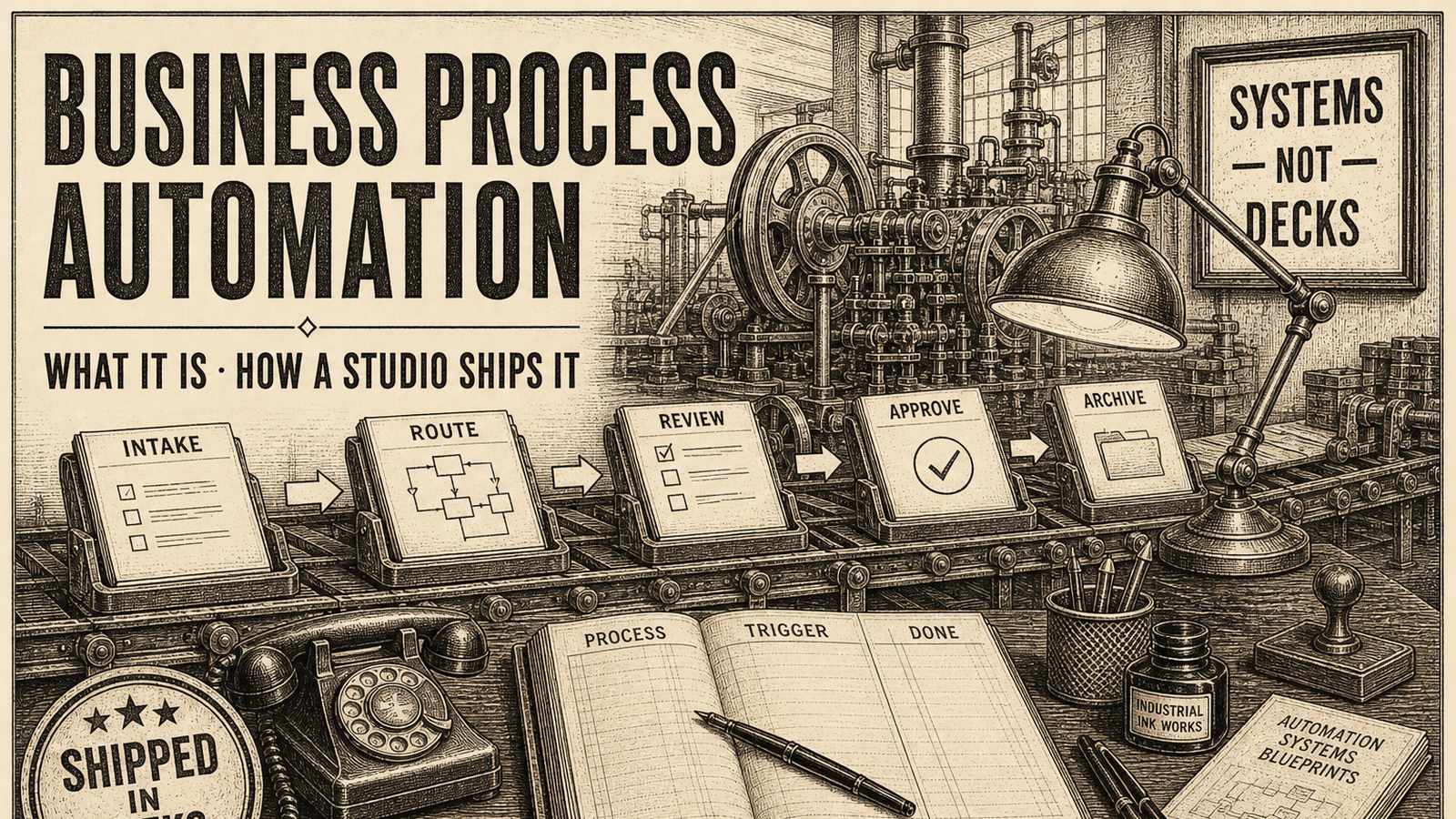
Business process automation diagram showing workflow connections across finance, HR, and sales departments
TL;DR: Business process automation (BPA) handles repetitive tasks so your team doesn't have to. 73% of companies that implement it cut process time in half. The best place to start: any task your team does manually more than 10 times per week. This guide covers what to automate, which tools to use (Make.com, Zapier, n8n), and how to calculate ROI before you spend anything.

What Is Business Process Automation?

Business process automation (BPA) is using software to execute repetitive, rule-based tasks that employees currently handle manually. Instead of a person copying data from one system to another, or sending the same follow-up email 30 times a week, software does it automatically — faster, cheaper, and without mistakes.

The scope runs from simple to complex. On the simple end: a Zapier workflow that adds new Stripe customers to your CRM. On the complex end: an AI-powered pipeline that reads incoming invoices, extracts line items, routes for approval based on amount, syncs to accounting software, and notifies the right people — all without anyone touching it.

Business process automation is often confused with AI workflow automation or robotic process automation (RPA). Here's the distinction:

In practice, the best automation setups in 2026 combine all three. But most businesses should start with BPA before adding AI complexity.

Which Processes Should You Automate First?

The classic mistake: automating the wrong thing. A team spends weeks building a slick automation for something that happens twice a month, while the process that eats 3 hours every day stays manual.

Use this four-factor framework to score your processes:

The BPA Priority Framework

Score each process from 1–5 on these four factors, then add up the scores. Automate the highest scorers first.

  1. Frequency — How often does this happen? (5 = multiple times per day)
  2. Time cost — How many total team hours does it consume weekly? (5 = 10+ hours/week)
  3. Error risk — How often do mistakes happen, and how costly are they? (5 = frequent, expensive errors)
  4. Rule-based — Can this process be described as a clear set of IF/THEN rules? (5 = perfectly predictable)

Any process scoring 14 or above is an automation candidate. Processes scoring 18–20 are urgent — you're leaving money on the table every day they stay manual.

The highest-ROI processes by department

Based on patterns across hundreds of automation projects, these are the processes that consistently deliver the fastest payback:

Finance & accounting

Sales & marketing

HR & operations

Customer service

Real Business Process Automation Examples

Abstract frameworks are useful. Real examples are more useful. Here's what business process automation actually looks like when it's working:

Example 1: Lead capture to CRM to follow-up (45 minutes → 0)

A B2B software company had salespeople manually copying leads from web forms into their CRM, then setting reminders for follow-ups. Each lead took about 4 minutes to process. At 50 leads per week, that's over 3 hours — plus the 12–15% that got missed entirely during busy periods.

The automation: new form submission triggers automatic CRM entry with lead scoring, assigns to the right rep based on territory, sends a personalized first-touch email within 5 minutes, and creates a follow-up task 48 hours later. Total build time: one day. Time saved: 3+ hours per week, plus a measurable increase in lead response rate.

Example 2: Invoice processing from 48 hours to under an hour

A professional services firm was processing invoices manually: someone received the PDF, extracted line items, entered them into accounting software, routed to the relevant manager for approval, then filed the original. A process taking 20–30 minutes per invoice, running 40–60 invoices per month.

With automation: invoices arriving by email get parsed by an AI extraction tool, line items populate the accounting system automatically, approval requests route to the right manager based on amount thresholds, and approved invoices get filed and payments scheduled. Processing time dropped to under 5 minutes per invoice — a full-time task became a 3-hour-per-month task.

Example 3: Employee onboarding from 2 days to 2 hours

A 50-person company was spending 2 days getting each new hire set up: IT creating accounts, HR sending paperwork, managers assigning onboarding tasks, finance setting up payroll. Each step required someone to remember to trigger the next one.

The automation: an offer letter signature in DocuSign triggers a cascade. IT gets a ticket to create accounts. HR forms are sent automatically. A welcome email sequence starts. The hiring manager gets a first-week task list. Payroll gets the bank details. Nothing slips through. Onboarding now takes about 2 hours of actual human time instead of 2 days of chasing.

Tools: Make.com vs Zapier vs n8n

Three tools dominate the business process automation market for small and mid-sized companies. The right choice depends on your technical skill level, process complexity, and data privacy requirements.

Make.com

Make.com (formerly Integromat) is the best choice for complex, multi-step workflows. Its visual builder handles conditional logic, loops, error handling, and data transformation in ways Zapier can't match. It connects to 1,500+ apps and is significantly cheaper than Zapier at scale.

Use Make.com when: your workflows have multiple branches, you need to process arrays of data, or you're building client-facing automation that needs to be bulletproof. We build most of our client projects on Make.com. See our Make.com automation services for details.

Zapier

Zapier is the easiest on-ramp for non-technical teams. If your automation is essentially "when X happens in app A, do Y in app B," Zapier handles it in minutes. The trade-off: it gets expensive fast (plans jump quickly once you need more tasks or premium app connections) and complex logic gets messy.

Use Zapier when: the process is genuinely simple, your team needs to manage it without technical help, and you're willing to pay the premium for ease of use. See our Zapier automation services.

n8n

n8n is open-source and self-hostable. That matters if you're processing sensitive data and don't want it passing through third-party servers, or if you're building at a scale where per-task pricing would get expensive. The interface is less polished than Make.com, but the flexibility and cost ceiling are unmatched.

Use n8n when: your team has technical capacity, you need data to stay on your infrastructure, or you're running high-volume workflows where cloud pricing would be prohibitive. See our n8n automation services.

For a head-to-head comparison, read our full Make.com vs Zapier vs n8n breakdown.

Quick comparison table

Factor Make.com Zapier n8n
Best for Complex workflows Simple connections Technical teams
Learning curve Medium Low High
Pricing model Operations/month Tasks/month Self-hosted (free)
App integrations 1,500+ 6,000+ 400+ (+ custom)
Data stays on your servers No No Yes (self-hosted)
AI/LLM integration Strong Basic Strong

How to Calculate Your ROI Before You Start

Every business process automation project should start with a number, not a gut feeling. Here's the calculation:

Annual ROI = (Hours saved per week × Loaded hourly cost × 52) – Project cost

Run this for the process you're considering. If the number is negative, either the project is too expensive or the time savings are too small. Both are useful signals — either negotiate the project scope down, or move on to a different process with a better ROI.

A worked example

Your sales team spends 8 hours per week on lead data entry and follow-up scheduling. Fully loaded labor cost: $60/hour. An automation project to eliminate 85% of this manual work costs $8,000.

This is before counting error reduction. If manual data entry was causing 3–4% error rates in your CRM — meaning wrong follow-ups, missed opportunities, wasted marketing spend — there's additional value there that's harder to quantify but real.

Use our free automation ROI calculator to run these numbers for your specific situation.

Industry benchmarks to set expectations

One number worth flagging: only 26% of automation initiatives deliver the ROI companies initially expected. The difference between the 26% and the 74% is almost always the same thing — they automated a broken process instead of fixing the process first.

How to Implement Business Process Automation: 5 Steps

Step 1: Audit your processes

Spend one week documenting every repetitive task your team does. Don't rely on memory — ask each team member to log actual time for manual tasks over three days. You'll find things management didn't know were happening, and the time tallies will surprise you.

For each process, note: who does it, how often, how long it takes, what inputs it needs, what outputs it produces, and how often errors occur.

Step 2: Prioritize by ROI score

Apply the four-factor framework from earlier in this guide. Pick the top two or three candidates. Don't try to automate everything at once — pick the highest-value target, build it, measure results, then move to the next one.

Step 3: Map the workflow before touching any tool

Before opening Make.com or Zapier, draw the process on paper or in a flowchart tool. Every trigger, every branch, every edge case. The questions that come up during this mapping — "what happens if the form is submitted with a missing field?" — are the questions that break automations at 2am if you skip this step.

Step 4: Build, test with real data, iterate

Build the automation in your chosen tool. Test it with real-world data that includes edge cases — not just the happy path. Check what happens when an API connection fails, when data is missing, when someone submits a form twice.

Don't declare success until it has run cleanly for at least two weeks with no manual intervention.

Step 5: Monitor, measure, expand

Set up monitoring so you know when an automation fails. Track the metrics you promised in your ROI calculation — hours saved, error rates, processing time. Review quarterly. Once the first automation is stable, move to the next item on your priority list.

Automation workflow dashboard showing connected business processes across multiple departments

AI-Powered Business Process Automation

Traditional BPA handles structured data well — if A then B, move this number from here to there. AI-powered automation handles what comes before the structure: unstructured inputs like emails, PDFs, voice messages, and decisions that require judgment.

The combination is where the real leverage is in 2026. A workflow might look like this:

  1. An invoice arrives as a PDF email attachment (unstructured input)
  2. AI reads and extracts the vendor, amount, line items, and due date
  3. Traditional automation routes the extracted data to your accounting system and triggers an approval request
  4. The approver clicks approve in Slack
  5. Automation schedules the payment and files the invoice

The AI piece handles what software couldn't before — reading and understanding the PDF regardless of format. The BPA piece handles what comes after — the predictable routing and actions. Together they replace a task that used to take a human 20–30 minutes.

See our full guide to AI workflow automation for a deeper look at this layer.

5 Business Process Automation Mistakes to Avoid

1. Automating a broken process

Automation makes processes faster. If the underlying process is broken — wrong logic, unnecessary steps, conflicting handoffs — automation just fails faster. Fix the process on paper before building the automation.

2. Building without error handling

What happens when an API call fails? When a required field is empty? When the same form gets submitted twice? If your automation doesn't have explicit handling for these cases, it will silently fail at the worst possible moment. Error handling isn't optional — it's half the build time.

3. Starting too complex

The most sophisticated automation is not the most valuable one. A simple lead-to-CRM workflow that runs reliably for 18 months is worth more than a complex 12-step pipeline that breaks every two weeks. Start simple. Add complexity once you trust the foundation.

4. Not tracking actual time savings

Only 26% of automation projects deliver the expected ROI — and a big reason is that companies never measure whether the automation is actually working as intended. Set a baseline before launch. Measure after. The data tells you whether to double down or rethink.

5. Building automations no one knows about

An automation that breaks while no one is watching can cause serious damage — wrong data sent to customers, payments processed incorrectly, leads dropped. Every automation needs an owner, monitoring, and a process for handling failures. "Set it and forget it" is a myth.

Frequently Asked Questions

What is business process automation?

Business process automation (BPA) is the use of software to handle repetitive, rule-based tasks that employees currently do manually — things like data entry, invoice processing, lead follow-ups, and employee onboarding. The goal is to reduce manual work, cut errors, and free your team for higher-value work.

Which business processes should I automate first?

Prioritize processes that are: (1) high-frequency — done daily or weekly, (2) rule-based — they follow a predictable pattern every time, (3) error-prone — where manual mistakes cost money, and (4) time-consuming — taking more than 5 hours per week combined. Common first automations include lead follow-up emails, invoice processing, data entry between apps, and employee onboarding paperwork.

What tools are used for business process automation?

The most widely used BPA tools in 2026 are Make.com (best for complex multi-step workflows), Zapier (best for simple app-to-app connections), and n8n (best for technical teams that want self-hosted control). For n8n, see real n8n automation examples. For AI-powered workflows, these tools integrate with OpenAI, Claude, and Gemini to handle unstructured data like emails and documents. You can also work with an AI automation agency to implement these for you.

How much does business process automation cost?

A simple automation connecting two apps costs $0–$50/month in tool fees if you build it yourself. A custom automation project built by an agency runs $2,000–$15,000 depending on complexity. Most businesses see full ROI within 3–8 months through saved labor costs. See our full automation agency pricing guide for a breakdown.

What is the ROI of business process automation?

60% of organizations achieve positive ROI within 12 months. The average annual savings is around $46,000 per company. Businesses typically see 25–30% productivity increases in automated processes and error reduction of 40–75% compared to manual workflows. That said, only 26% of automation projects hit their expected ROI — which is why starting with a realistic calculation matters.

What is the difference between BPA and RPA?

Business process automation (BPA) handles digital workflows between software systems — data moving from form to CRM, invoice routing, email triggers. Robotic process automation (RPA) mimics human actions on existing software interfaces — clicking, typing, navigating screens — usually for legacy systems that don't have APIs. BPA is generally cheaper, faster to build, and easier to maintain.

Can small businesses benefit from business process automation?

Yes — and often more than large enterprises. A 10-person company where one person spends 8 hours weekly on manual data entry is losing 20% of a full-time salary to a task that could be automated for $5,000 or less. Small businesses typically see faster payback periods because the manual work represents a higher percentage of total capacity.

Emil Hjorth
Emil Hjorth

Automation consultant at em8. Builds workflow automation for B2B companies using Make.com, n8n, and AI agents. Has worked on automation projects across sales, finance, HR, and operations. Based in Scandinavia.

Ready to automate your business processes?

We'll audit your highest-value processes and build a prioritized automation roadmap — no fluff, just the specific workflows that will actually move your numbers.

Book a free discovery call