n8n Automation: 15 Workflow Examples That Save Hours Every Week
Real workflows, tools connected, and ROI for each — built and tested with real clients.
What is n8n? (The 30-second version)
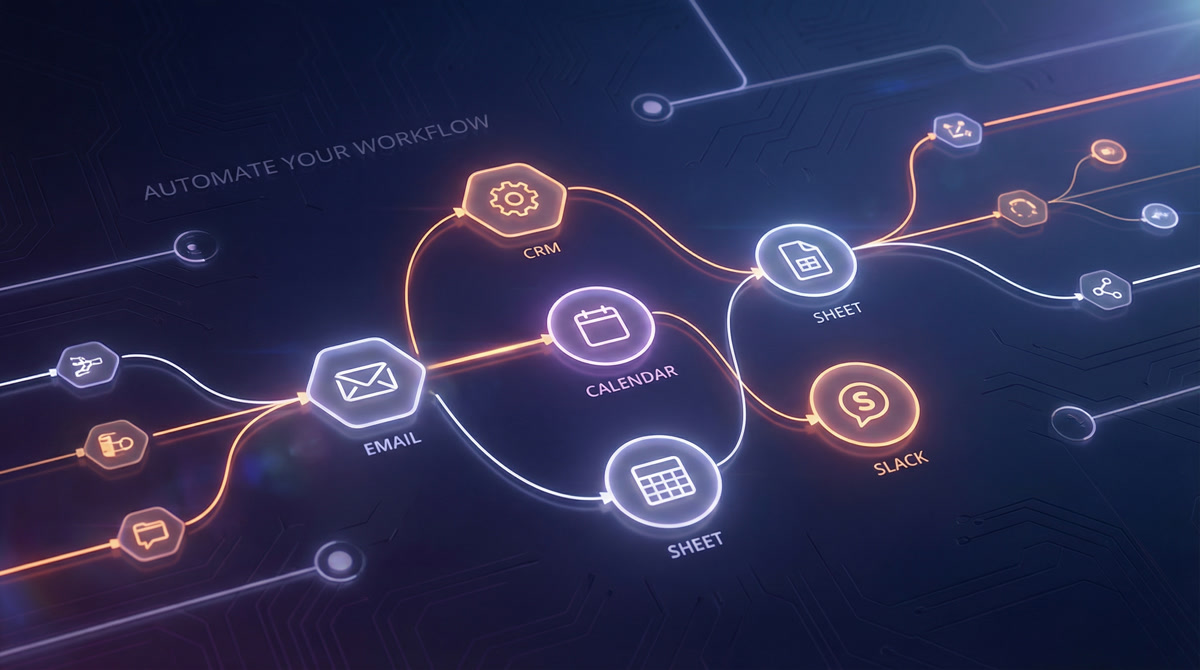
n8n is an open-source workflow automation platform. You connect apps, set triggers, and build logic visually using a node-based editor. Think Zapier or Make.com, but with two big differences: you can self-host it (your data stays on your servers), and the community edition is free.
It has 400+ built-in integrations and over 8,000 community-built templates. If you've read our Make vs Zapier vs n8n comparison, you already know where each tool shines. n8n is the one you pick when you want full control and zero per-task fees.
For a deeper look at what automation actually means for your business, check out our workflow automation guide.
Why businesses choose n8n
A few reasons keep coming up in our client conversations:
No per-task pricing. Zapier charges per task. Make.com charges per operation. n8n's self-hosted version? Unlimited executions. You pay for the server (€5-20/month for most small businesses), and that's it. At scale, the savings are dramatic. We break down the real numbers in our automation cost guide.
Your data stays yours. Self-hosting means customer data, financial records, and internal processes never leave your infrastructure. For businesses in healthcare, finance, or the EU dealing with GDPR, this matters more than any feature.
You're not locked in. Because it's open-source (fair-code license), you can inspect every line of code. If n8n disappeared tomorrow, you'd still have your workflows.
AI-native. n8n has built-in nodes for OpenAI, Anthropic, Google Gemini, and LangChain. Adding AI to a workflow is drag-and-drop, not a custom integration project.
If you want to see the ROI math for your specific situation, try our automation ROI calculator.
15 n8n automation examples (with real ROI)
Here's what we actually build for clients. Some are simple, some are complex. All of them pay for themselves within the first month.
1. Lead capture to CRM sync
What it does: When someone fills out a form (website, Typeform, Facebook Lead Ad), their info automatically lands in your CRM with the right tags, assigned to the right sales rep.
Tools connected: Typeform/Gravity Forms → n8n → HubSpot/Pipedrive/Salesforce
Time saved: 3-5 hours/week
Difficulty: ⭐ Easy
Most businesses copy-paste leads from forms into their CRM manually. Or worse, they batch it once a day and lose the speed advantage of following up within 5 minutes. This workflow triggers instantly.
For more on CRM automation specifically, see our CRM automation guide.
2. Email follow-up sequences
What it does: Triggers personalized follow-up emails based on lead behavior. Downloaded a PDF? Email #1 goes out in 2 hours. Opened it? Email #2 follows 24 hours later. No opens after 3 days? Different sequence.
Tools connected: CRM/form trigger → n8n → Gmail/SendGrid/Mailchimp
Time saved: 5-8 hours/week
Difficulty: ⭐⭐ Medium
The medium rating is because you need to design the branching logic. The n8n part is straightforward once you know what you want to send and when.
3. Invoice generation and delivery
What it does: Pulls completed project data from your PM tool, generates a PDF invoice, emails it to the client, and logs it in your accounting software.
Tools connected: ClickUp/Asana → n8n → Google Docs (template) → PDF.co → Gmail → QuickBooks/Xero
Time saved: 2-4 hours/week
Difficulty: ⭐⭐ Medium
One of our clients was spending 45 minutes per invoice. They send about 20 per month. That's 15 hours recovered for the cost of a €10/month server.
4. Social media cross-posting
What it does: You publish once (say, a LinkedIn post), and n8n adapts and posts it to X/Twitter, Facebook, and your blog's RSS feed. It can also schedule posts from a Google Sheet content calendar.
Tools connected: Google Sheets → n8n → LinkedIn/X/Facebook APIs → Slack (confirmation)
Time saved: 3-5 hours/week
Difficulty: ⭐⭐ Medium
The tricky part is API authentication for each platform. Once that's set up, the workflow itself is simple.
5. Customer onboarding sequence
What it does: When a new customer signs up or a deal closes in your CRM, this triggers: a welcome email, a Slack notification to your team, a project folder in Google Drive, a task list in your PM tool, and a calendar invite for the kickoff call.
Tools connected: CRM trigger → n8n → Gmail + Slack + Google Drive + ClickUp + Google Calendar
Time saved: 2-3 hours per new customer
Difficulty: ⭐⭐ Medium
This is one of the highest-ROI automations we build. It makes your company look organized and responsive, even if you're a team of three.
6. Two-way data sync between tools
What it does: Keeps records in sync across multiple platforms. Update a contact in HubSpot, and it updates in Google Sheets, Airtable, and your internal database. Works both directions.
Tools connected: HubSpot ↔ n8n ↔ Google Sheets/Airtable/Postgres
Time saved: 4-6 hours/week
Difficulty: ⭐⭐⭐ Advanced
Two-way sync is where n8n outperforms simpler tools. You need conflict resolution logic (what happens when both systems update at the same time?), and n8n's code nodes let you handle that precisely.
7. Smart Slack/Teams notifications
What it does: Instead of drowning your team in alerts, this workflow routes notifications intelligently. Big deal closed? #sales-wins channel. Support ticket escalated? DM the on-call person. Weekly metrics? Scheduled summary every Monday at 9am.
Tools connected: CRM/helpdesk/database → n8n → Slack/Microsoft Teams
Time saved: 1-2 hours/week (plus reduced notification fatigue)
Difficulty: ⭐ Easy
Simple but surprisingly impactful. The real value is in what your team stops doing: context-switching to check dashboards.
8. Automated report generation
What it does: Pulls data from multiple sources, compiles it into a formatted Google Doc or spreadsheet, and emails it to stakeholders on a schedule. Weekly sales reports, monthly KPIs, daily ad spend summaries.
Tools connected: Google Analytics/CRM/Ad platforms → n8n → Google Sheets/Docs → Gmail
Time saved: 3-6 hours/week
Difficulty: ⭐⭐ Medium
One client's marketing manager was spending every Friday afternoon building the weekly report. Now it lands in the CEO's inbox at 8am Friday. Automatically.
9. Automated backups
What it does: Backs up critical business data on a schedule. Database exports to cloud storage, CRM exports to Google Drive, document archives to S3 or Backblaze.
Tools connected: Database/CRM/app API → n8n → AWS S3/Google Drive/Backblaze
Time saved: 1-2 hours/week
Difficulty: ⭐ Easy
Not glamorous. Extremely important. Most small businesses don't have backup automation because nobody wants to set it up. n8n makes it a 30-minute project.
10. Support ticket routing and prioritization
What it does: Incoming support tickets get analyzed (subject line, customer tier, keywords), assigned a priority, routed to the right team member, and the customer gets an immediate acknowledgment email.
Tools connected: Email/Zendesk/Freshdesk → n8n → Slack + CRM + auto-reply email
Time saved: 4-7 hours/week
Difficulty: ⭐⭐ Medium
Add an AI node (OpenAI or Claude) and the routing gets smarter. Instead of keyword matching, the AI reads the ticket, gauges urgency, and categorizes it. We've seen routing accuracy jump from 70% to 95% with this approach.
11. Content publishing pipeline
What it does: Takes a blog post draft from Google Docs, formats it, generates meta descriptions and social posts using AI, publishes to your CMS, and schedules social media promotion.
Tools connected: Google Docs → n8n → OpenAI → WordPress/Webflow → Buffer/native APIs → Slack
Time saved: 2-4 hours per article
Difficulty: ⭐⭐⭐ Advanced
This is a multi-step workflow with AI involved, so it takes more effort to build and test. But for teams publishing 4+ articles per month, the time savings compound fast.
12. Meeting follow-up automation
What it does: After a meeting ends (detected via calendar event), it checks for meeting notes (Otter.ai, Fireflies, or manual), extracts action items using AI, creates tasks in your PM tool, and sends a summary email to attendees.
Tools connected: Google Calendar → n8n → Otter.ai/Fireflies → OpenAI → ClickUp/Asana → Gmail
Time saved: 1-2 hours/week
Difficulty: ⭐⭐⭐ Advanced
The AI extraction step needs testing with your specific meeting style. Some clients prefer a human-in-the-loop step where the summary gets sent to Slack for approval before going out.
13. Inventory and stock alerts
What it does: Monitors inventory levels in your e-commerce platform or database. When stock drops below a threshold, it alerts your purchasing team via Slack/email and optionally creates a purchase order draft.
Tools connected: Shopify/WooCommerce/database → n8n → Slack + Email + Google Sheets (PO tracker)
Time saved: 2-3 hours/week
Difficulty: ⭐ Easy
Simple polling workflow. Check inventory every hour, filter for low stock, send alert. Most e-commerce clients want this running on day one.
14. Employee onboarding automation
What it does: New hire added to your HR system triggers: email accounts created, added to relevant Slack channels, welcome docs shared, training tasks assigned, and IT notified about equipment needs.
Tools connected: BambooHR/Gusto/Google Sheets → n8n → Google Workspace + Slack + ClickUp + Gmail
Time saved: 4-6 hours per new hire
Difficulty: ⭐⭐ Medium
This workflow pays for itself with the first hire. The real win is consistency: every new employee gets the same experience, nothing gets forgotten.
15. AI-powered data processing
What it does: Takes unstructured data (emails, PDFs, support tickets, survey responses) and uses AI to extract structured information. Sentiment analysis on customer feedback. Data extraction from invoices. Categorization of incoming requests.
Tools connected: Email/webhook/file upload → n8n → OpenAI/Claude/Gemini → Google Sheets/CRM/database
Time saved: 5-10 hours/week
Difficulty: ⭐⭐⭐ Advanced
This is the fastest-growing category of n8n automations we build. The combination of n8n's workflow engine with AI models is genuinely powerful. One client processes 200+ customer feedback emails per week, automatically categorized and scored for sentiment, without anyone reading them manually.
For more ideas like these, browse our business automation examples.
How to get started with n8n
You have two options:
Self-hosted (free). Spin up a small VPS (DigitalOcean, Hetzner, or AWS), install n8n with Docker, and you're running. Total cost: €5-20/month for the server. You get unlimited workflows and executions. This is what most of our clients use.
n8n Cloud (paid). Starting at €24/month for 2,500 executions. No server management. Good for testing or if you genuinely don't want to touch infrastructure. Pro plan is €60/month for 10,000 executions.
Our recommendation: Start with n8n Cloud to learn the interface. Once you're building workflows you depend on, migrate to self-hosted for cost savings and full control. Or skip all that and let us build it for you.
For getting started with the actual editor, n8n's official docs are solid, and their community forum is active and helpful.
n8n vs Make.com vs Zapier: quick comparison
| n8n | Make.com | Zapier | |
|---|---|---|---|
| Starting price | Free (self-hosted) / €24/mo cloud | ~€9/month | ~$20/month |
| Pricing model | Per execution (or unlimited self-hosted) | Per operation | Per task |
| Native integrations | 400+ | 2,500+ | 7,000+ |
| Self-hosting | Yes | No | No |
| AI capabilities | Built-in nodes for OpenAI, Claude, Gemini | Basic | Limited |
| Best for | Technical teams, data-sensitive businesses, complex logic | Visual workflow builders, mid-complexity | Simple automations, non-technical users |
Short version: Zapier is easiest, Make is the middle ground, n8n gives you the most control and lowest long-term cost. Read our full comparison for the detailed breakdown.
Common mistakes with n8n automation
Building too much at once. Start with one workflow. Get it stable. Then build the next one. We've seen businesses try to automate 10 processes simultaneously and end up with 10 broken workflows.
Ignoring error handling. Workflows fail. APIs go down, rate limits get hit, data comes in malformed. Add error branches to every workflow. A Slack notification that says "Invoice workflow failed for client X" saves you from discovering the problem three days later.
Not testing with real data. Demo data behaves. Real data doesn't. Test with actual records, including edge cases like empty fields, special characters, and duplicate entries.
Skipping documentation. Six months from now, nobody will remember why that one IF node checks for "status = PENDING-REVIEW-2." Write it down. n8n has a notes feature on every node. Use it.
Over-engineering early. Your first version doesn't need AI-powered routing with sentiment analysis. Start with simple IF/ELSE logic. Add sophistication when you have data showing you need it.
FAQ
Is n8n really free?
The self-hosted Community Edition is free with no execution limits. You pay only for your server hosting (typically €5-20/month). Cloud plans start at €24/month with execution caps.
Is n8n good for non-technical people?
It's more technical than Zapier but less than writing code from scratch. The visual editor is intuitive once you learn it. For complex workflows, you'll want someone comfortable with basic logic and APIs, which is where agencies like em8.io come in.
How does n8n compare to Zapier for business automation?
Zapier has more pre-built integrations (7,000+) and is easier to start with. n8n has stronger AI capabilities, supports self-hosting, and costs dramatically less at scale. For simple 2-app connections, Zapier wins on convenience. For anything complex or high-volume, n8n wins on cost and flexibility.
Can n8n handle enterprise workloads?
Yes. Self-hosted n8n can scale horizontally across multiple workers. The enterprise cloud plan includes SSO, audit logging, and SLA support. We have clients running 50,000+ workflow executions per month on self-hosted n8n without issues.
What's the hardest part of setting up n8n?
For most businesses, it's the initial server setup and API authentication for each connected tool. Once the infrastructure is in place and your apps are connected, building new workflows is fast. The learning curve is front-loaded.
How long does it take to build an n8n workflow?
Simple workflows (form to CRM, alert notifications) take 30 minutes to 2 hours. Medium complexity (email sequences, report generation) takes 2-8 hours. Advanced workflows with AI and multi-step logic can take 1-3 days. Or you can hire us and have it running in a week.
Stop doing manually what n8n can do for you
Every hour your team spends on repetitive tasks is an hour not spent on growth, strategy, or the work that actually requires a human brain. The 15 n8n automation examples above aren't hypothetical. They're workflows running right now for real businesses.
You can build them yourself. n8n is open-source, the docs are good, and the community is helpful. Or, if you'd rather have it done right the first time, talk to us at em8.io. We design, build, and maintain n8n automations so you can focus on running your business.
Get a free automation audit →
Want n8n Automations Built for Your Business?
We design, build, and maintain n8n workflows that save your team 10+ hours per week. Let's talk about what we can automate for you.
Book a Free Call